

Wanderdog Overview

Timeframe: 2 week sprint from Learn to Iterate phase.
Role: UX/UI designer
Team: Sole designer
Tools: Adobe XD, Photoshop, Illustrator, Overflow, Google Suite, and Keynote
WanderDog is a mobile commerce concept focused on helping pet owners discover and purchase travel products designed for adventures with their dogs. The flagship product line includes durable, comfortable, and travel-friendly dog carriers that support a variety of transportation needs.
Problem statement: People love to travel with their dogs but it can be difficult to find comfortable, durable, easy-to-clean and well-ventilated travel carriers for dogs. There are restrictions that need to be adhered to with air travel and in 2019 subway travel in NYC implemented a law that requires dogs to be in a bag.
Transportation regulations reinforced the need for travel-friendly carrier solutions.
The Pivot
Initially, wanderdog started off as “poshpooch” - a line of European-inspired dog bags. After conducting the 1:1 interviews though it was overwhelmingly clear that people wanted a more utilitarian style of bag for their dogs. Still stylish however it also had to be easy to clean, durable, comfortable to carry, and well-ventilated. Having a luxury dog carrier with high-end materials didn’t offer all of these desired criteria so there was a pivot and wanderdog, dog products built for adventure, was born.

An early draft of the initial poshpooch concept
Competitive Audit


A splash screen is a source of brand strengthening

Card scan, and appropriate keyboard pop up, makes data input easier
From the audit of several sites within and outside our business vertical, we discovered features we really liked and wanted to implement. The full audit can be found here.
Micro-interactions in forms are something we wanted to include. As you type in a field, the label moves up and reduces in size to allow space for the text being entered. By using micro-animations the user gets support in understanding the hierarchy so elements are placed in context. This creates focus. The user gets a sense of direct manipulation because it sees something happen directly.
A carousel allows for fitting a lot of content into a relatively small footprint. Important information derived from interviews is showcased within a carousel.
The ability to scan cards versus having to manually input info is a better user experience.
Ninety percent of information transmitted to the brain is visual. Adding a splash screen to an app works as an opportunity to stick in the minds of users.
Social Listening
We do social listening in order to connect with our customers requirements and deliver a well designed product they will enjoy.
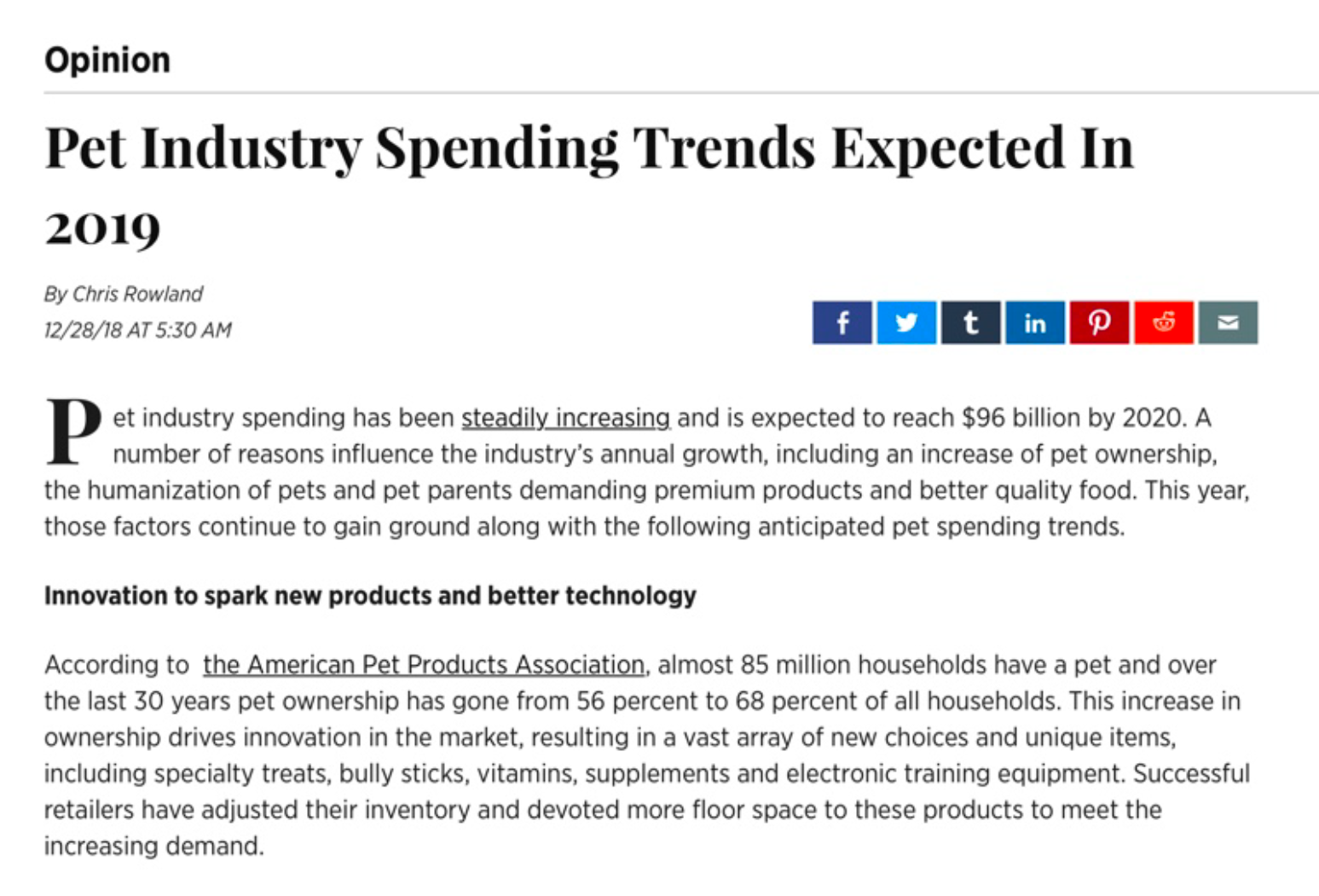
Source: International Business Times. Oct 22nd
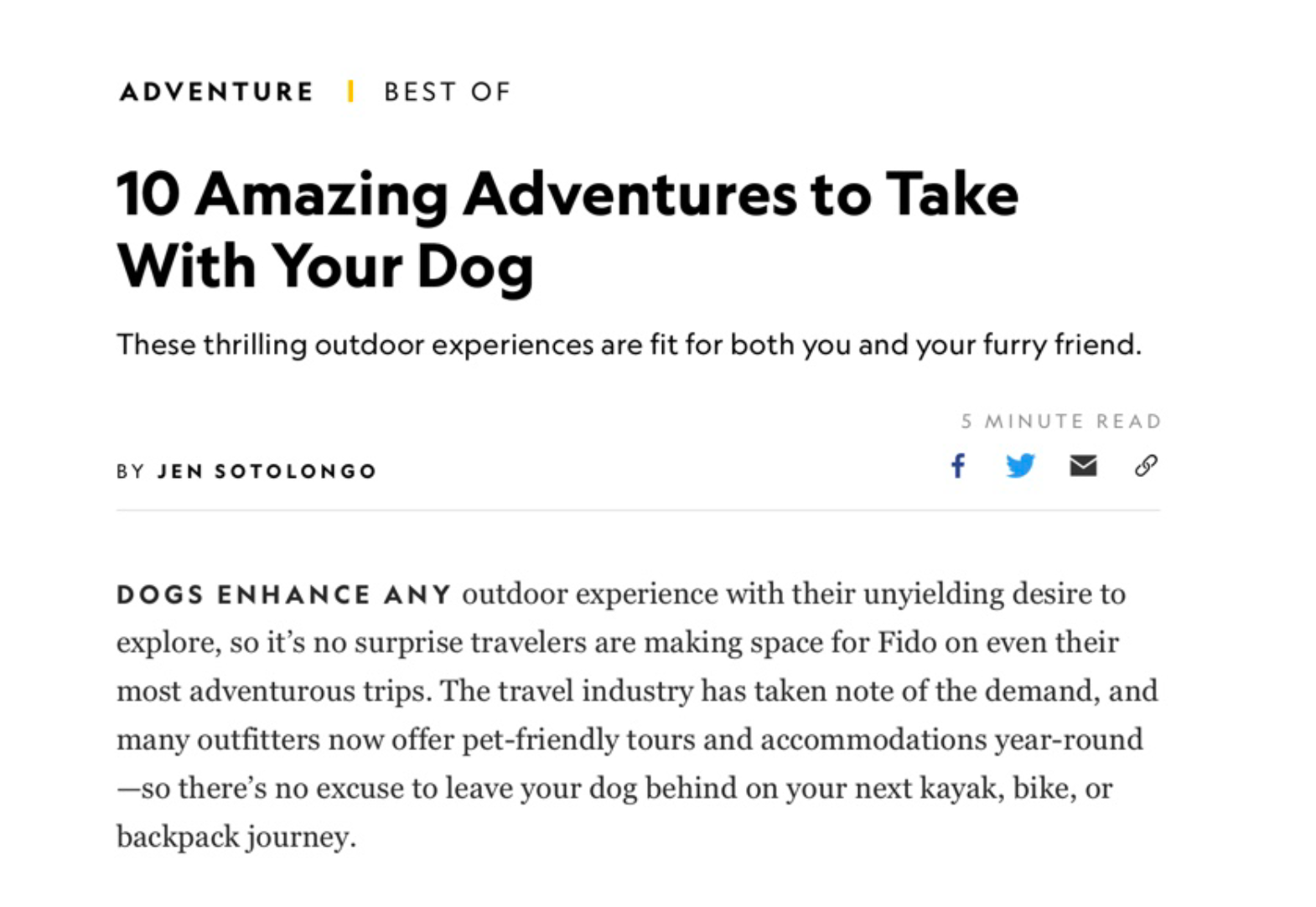
Source: National Geographic 2017
Data Analysis

47% of Americans own a dog
Source: American Pet Product Association 2017

TripAdvisor found that 53% of respondents travel with their pets. (1,100 surveyed in 2017)

43% of people choose vacations with their dogs that include fresh air and lots of hiking
We were interested to find out that 15.4% prefer going to a dog-friendly beach, 18.3% want to check out a national park or historic site, 12.5% opt for a hotel in a pet-friendly city, 43% look for a destination with fresh air and lots of hiking, and 10.8% choose other types of vacations.
Source: blog.gopetfriendly.com (2018)
Research Insights
Methods
Interviews with 7 dog owners
Competitive review of pet travel products
Review of pet travel regulations
Key Findings
Comfort, durability, and ease of cleaning were the primary purchase drivers.
Users preferred familiar navigation patterns over novelty interactions.
Mandatory account creation created friction during checkout.
Product benefits were more persuasive than promotional offers.
User Flow

Key Findings
Users immediately understood the app’s purpose as an e-commerce experience for dog products.
The term “Wander” was unclear and did not communicate browse-without-signing-in behavior.
The bone-shaped search field felt overly decorative and reduced usability.
Participants preferred familiar navigation patterns and clearer account iconography.
Several users encountered friction while progressing from product detail pages to checkout.
Additional whitespace improved readability and content hierarchy.


Usability testing identified friction points across navigation, search, checkout, and account management. The findings directly informed the next design iteration, resulting in clearer navigation patterns, improved visual hierarchy, and a more streamlined purchasing experience.
Iterate
Removing the hamburger button
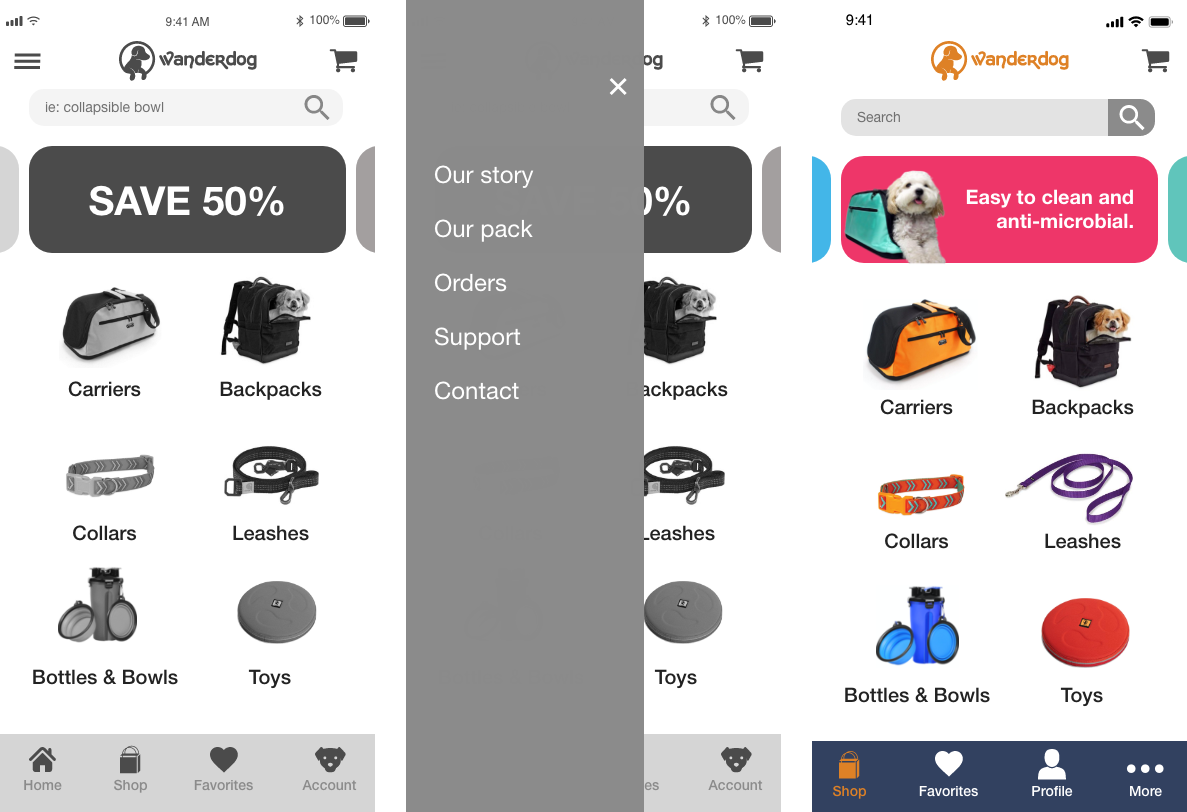
Replace Hamburger Navigation: The original design relied on a hidden navigation drawer that required additional taps and reduced visibility of key destinations. I replaced it with a persistent bottom navigation pattern to improve discoverability, reduce interaction cost, and support easier one-handed use on larger mobile devices.
Changing the carousel

Key Design Decision: Prioritize Product Benefits Over Promotions.
Survey research revealed that pet owners evaluated carriers primarily based on comfort, durability, and ease of cleaning. The original carousel emphasized discounts and promotions, which did little to help users assess the product. I redesigned the carousel to highlight the attributes customers cared about most, helping them make more informed purchasing decisions.
Shopping cart revamp
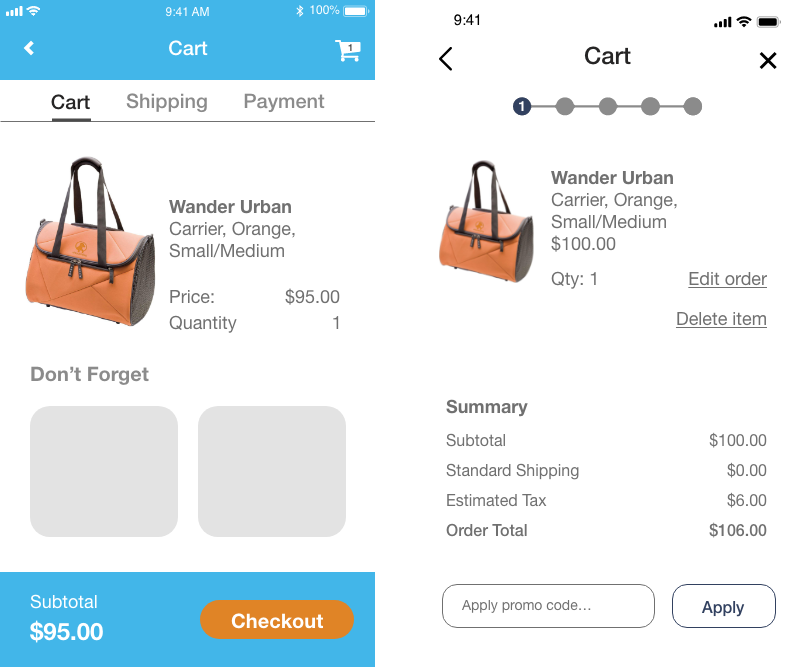
Key Design Decision: Increase Checkout Transparency
The original cart experience provided little feedback about where users were in the checkout journey. To reduce uncertainty and support completion, I introduced a progress indicator, a persistent order summary, and more visible order management controls. This created a clearer path to purchase and helped users understand what to expect next.
Simplifying checkout

Key Design Decision: Reduce Checkout Friction
The original experience required users to create an account before completing a purchase, introducing unnecessary friction during checkout. To streamline the process, I added a guest checkout option, simplified the sign-in experience, and introduced a password visibility toggle to reduce input errors and improve usability.
Improving Order Transparency

In the update I itemized costs, shipping and despite being so close to making a sale, I added the emergency exit. User must always be in control of what they are doing.
Enhancing the Post-Purchase Experience
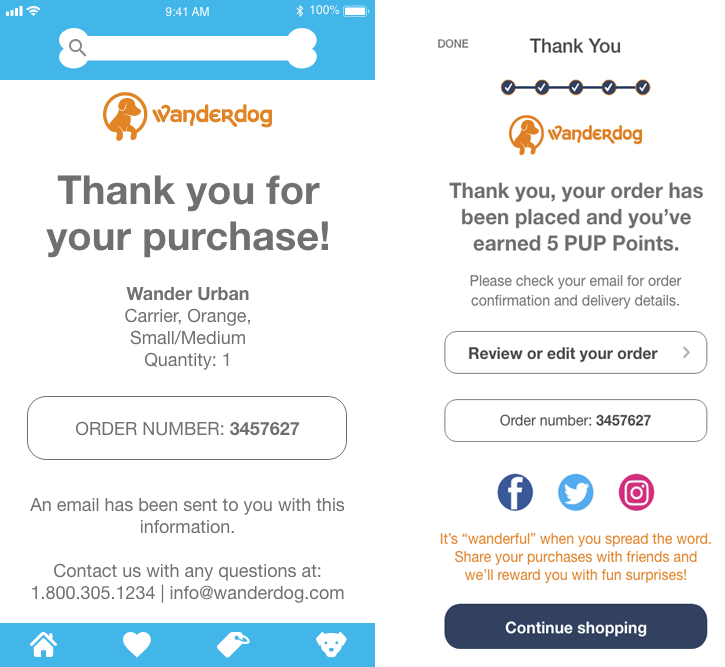
To get customer information you can see in the updated version that users are required to sign up to participate in the rewards program. The review/edit order button is a last chance that offers freedom and flexibility to the user and error prevention. Thank you pages confirm the order has been processed. Including social sharing is free advertising and incentivizing with rewards is good for customer retention.
Outcome
Simplified navigation by replacing the hamburger menu with persistent bottom navigation.
Prioritized product benefits over promotional messaging.
Streamlined checkout through guest checkout and improved account management.
Increased transparency through clearer order review and confirmation experiences.
Created a cohesive mobile commerce experience focused on reducing friction throughout the customer journey.
This project reinforced how small usability improvements across multiple touchpoints can collectively create a smoother and more trustworthy purchasing experience.
Prototype of Final Version
This video shows a tour of what the e-commerce app looks like from the splash screen all the way through to purchasing a carrier